
These instructions are for all Maserati 4.2 and 4.7 engine variants found in the M139 Quattroporte (2010-2012) and the M145 GranTurismo (2010-2020)

1. Download the Alientech Suite Software to your Windows laptop. CLICK HERE TO DOWNLOAD
2. Create a Folder on your computer where you plan to store the files associated with tuning.
3. Disconnect the negative battery cable.
4. The ECU is located in the rear driver's side corner of the engine compartment. There is a plastic cover to remove. Then a metal heat shield will be visible. It's held on by three nuts. Once the nuts are removed you can then access the ECU's two big electrical connectors.
5. Unplug the connectors from the ECU. The connectors will seem a bit tricky and there are a couple different types. In all cases there is some release you need to push or slide and then you can raise the release lever and free the connector.
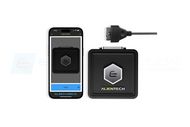
6. Connect the Remote Tuning system connectors to the ECU.
7. Double Click on the Alientech Suite button on your computer.

8. Once the program loads, you will have a screen that requires you to select your vehicle. Use the drop down menus from the little arrows to select Maserati and then your car type. In this case it's either going to be Maserati GranTurismo or Quattroporte (5th).

9. Next, from the ECU/TCU drop down menu, select Bosch ME9.1.1

10. From the Engine Code Menu, for 4.2 Liter cars select F136U. If you have a 4.7 Liter car, select F136Y. Then click on the selection that most closely represents your car. For example, if you have post 2012 car, you select the 2012 model year. (Be sure to make a selection with connection #2207 available!)

11. Press the selection dot just below the ECU name, then press continue.

12. It will ask you if you want to see the manual. Click no.

13. Click Identify ECU.

14. Now the tuning system will start to work. Just wait. It will finish the identification quickly, usually less than a minute and you will have this screen:

15. Click Read Backup.

16. Sit back and wait, or go get a cup of coffee. The system will take about 5 mins to fully read the ECU. When done it will ask you where to save the files. Choose the file you made for this purpose at the start of this procedure. Use Your name and type of car for the file name and click save.

17. It will now ask if you want to save the files separately. Click YES. If you accidentally click no, you have to repeat steps #15 and #16 and then click yes.

18. Email those files to tuning@eurocompulsion.net From those files we will make the tune. Just wait for us to make the tune and send it back. This takes up to three business days but we do try to get it done faster. You can back out and exit the program at this point and reassemble your car for regular use while still stock.
19. Now, you have received your tune from us and it's time to put it on the car. Run through steps 1-14 again and get to this screen. Select Identify.
20. Once the identification is done select Flash and then Write:

21. A window will pop up. Select the tune we sent you and click open.

22. The software will start to write to the ECU. It goes fast. The Alientech software is very powerful. Once it's done you should see a message saying “Writing Succesfully Complete”

23. Disconnect the Alientech system from the ECU and reconnect the car's connectors. Connect the battery, do any battery reset procedure required and you're done. Enjoy the tune and be sure to give it a thorough test drive.
You will need to return the Remote Tuning System to us. Please ship to:
EUROCOMPULSION - TUNING
10763 SAHOMA LAKE RD
SAPULPA, OK 74066
UNITED STATES
If you have ANY questions, please do not hesitate to contact us!